Search
Search is the heart of Pedal Builder: give it a component and it lists every PCB project that uses it — the classic “I have this chip, what can I build?” lookup. Components don’t have a part number of their own, so you search them by name or value (a manufacturer part number works too — it resolves to the component it fills).
Reverse component search
Type a component; get back every board that uses it.
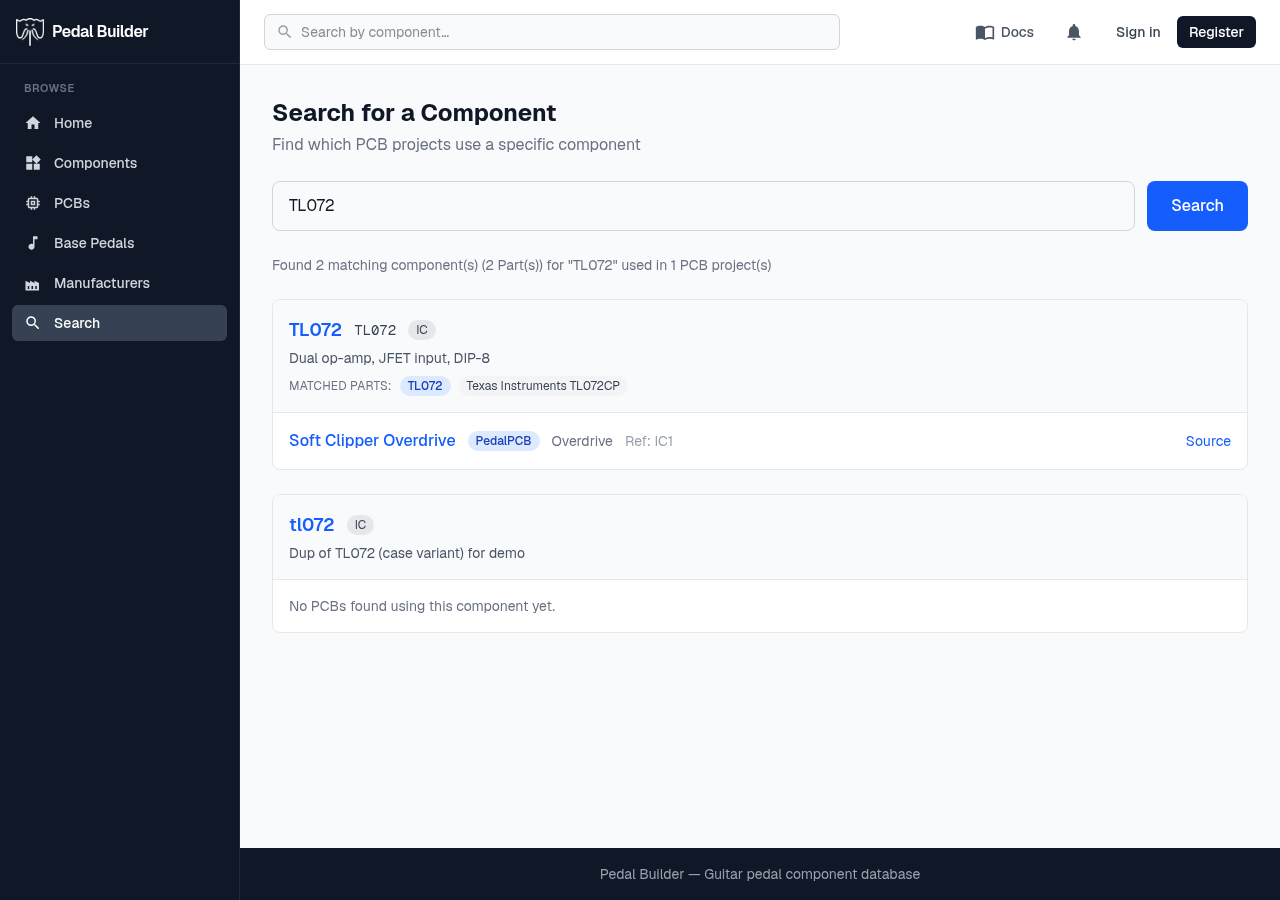
- 1Search box — Enter a component by name or value (e.g. TL072, 1N4148, 10K) and press Search. A manufacturer part number works too — it finds the component that part fills. A fast full-text index means partial queries match.
- 2Result summary — Counts what matched — how many components (and the underlying manufacturer Parts) the query hit, and how many PCB projects use them in total.
- 3Matched component — Each match is a generic component: its name (links to the component page), value, type, and a short description. Look-alikes are listed as separate cards — the second one here is a near-duplicate of the first.
- 4Matched Parts — The manufacturer SKUs that satisfy the component — the default Part is highlighted in blue, the rest are alternates.
- 5PCB result — Every board that uses the component: the name links to the project, with a source pill (PedalPCB / AION FX) and the effect type beside it.
- 6Reference designators — Where the part sits on that board — the slot labels (IC1, R4…) and any value, so you know exactly which position it fills.
- 7Source — Jumps to the project’s page on its source site (a Build Doc link sits alongside it where the project has one).
Good to know
- Public — no sign-in required. Search matches component names and values (and the manufacturer part numbers that fill them) through a fast full-text index, so partial queries work too.