Components
Components is the catalog of every generic part role used across the DIY pedal world — the op-amps, resistors, capacitors, transistors, diodes, potentiometers and switches that circuit boards call for. It’s the backbone of the site’s reverse-lookup: land on a component and you can see every PCB project that uses it. And because each component is tied to a real, buyable part, you can go straight from “this board needs a TL072” to “here’s the exact part to buy.”
Component vs. Part
A component is the generic role a board asks for: “a TL072 op-amp,” “a 100n capacitor,” “a 1N4148 diode.”
A part is a specific, buyable product that fills that role — a particular manufacturer’s TL072 in a given package.
The default part is the buyable part each component recommends — it’s what the Default Part column shows here, and what a PCB’s bill of materials resolves each component to.
The page, annotated
Filters sit above the table; the table lists the catalog. The numbers map to the notes underneath.
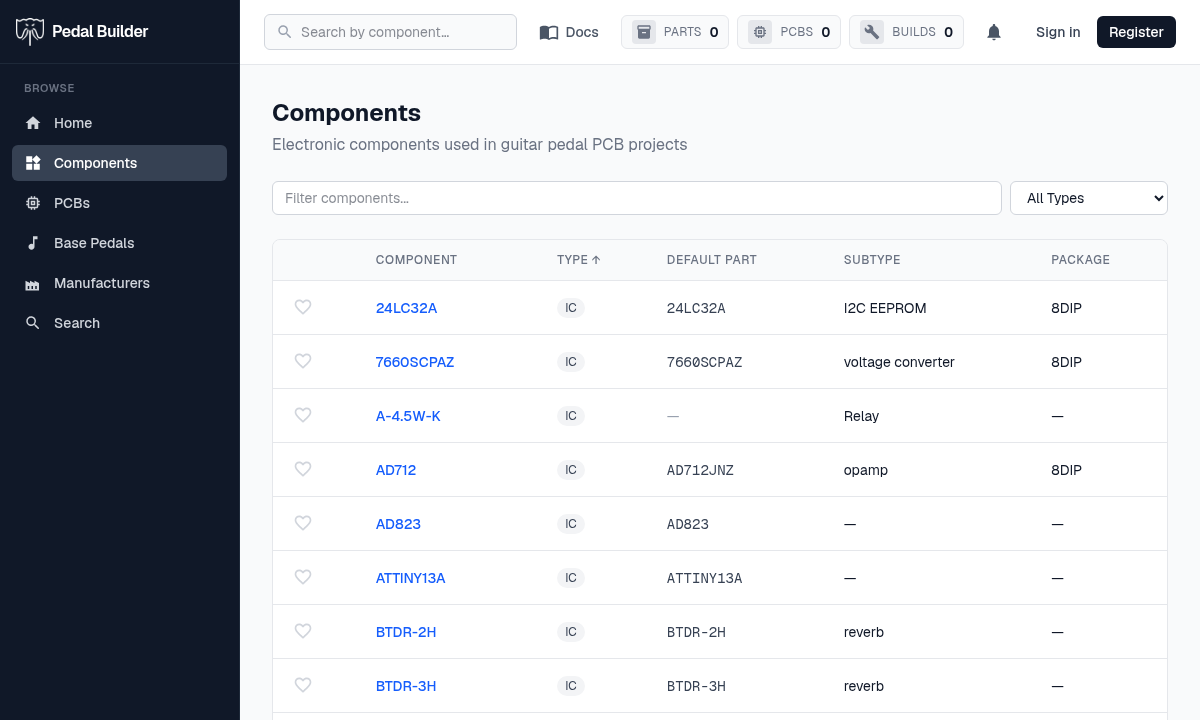
- 1Type dropdown — Narrow the catalog to one class: IC, Transistor, Diode, Resistor, Capacitor, Potentiometer, Switch, Connector, LED, Other — or All Types.
- 2Filter components… — Start typing any part of a name and the list narrows as you type.
- 3Column headers — Click one to sort by Component, Type, Default Part, Subtype, or Package; click again to flip the direction (the little arrow shows which way).
- 4The component link — Click a component’s name to open its page, where you’ll find the parts that satisfy it and every PCB project that uses it.
The footer — counts & paging
Everything that tells you how big the catalog is and where you are lives at the bottom of the table.
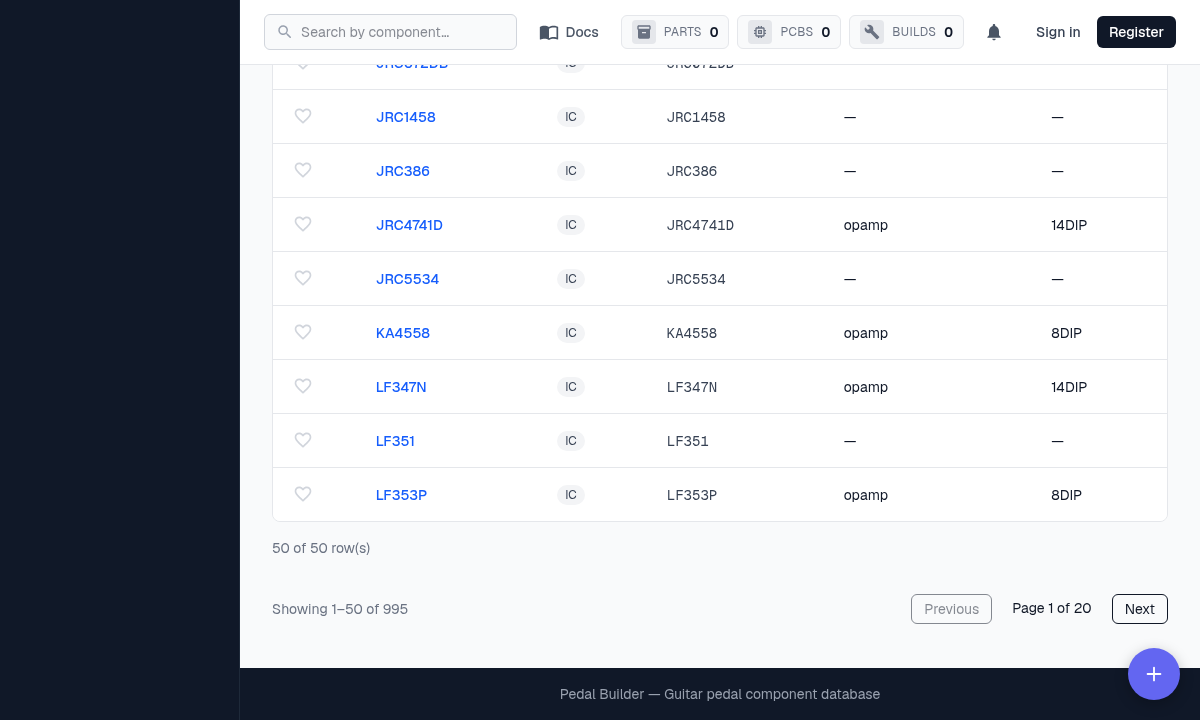
- 5The count — “Showing 1–50 of 995” tells you the whole catalog size and which slice you’re looking at right now.
- 6Previous / Next · Page X of Y — Step through the catalog a page at a time.