The comment system
Most pages — components, PCBs, base pedals, manufacturers, and shared builds — carry a comment thread (a “Comments” tab or section near the bottom). Anyone can read them. Signed in, you can post, reply, react, and @mention other people — and replies and mentions come back to you as notifications.
A thread, signed in
Once you’re logged in the full toolkit appears — compose, react, reply, edit your own, and @mention people.
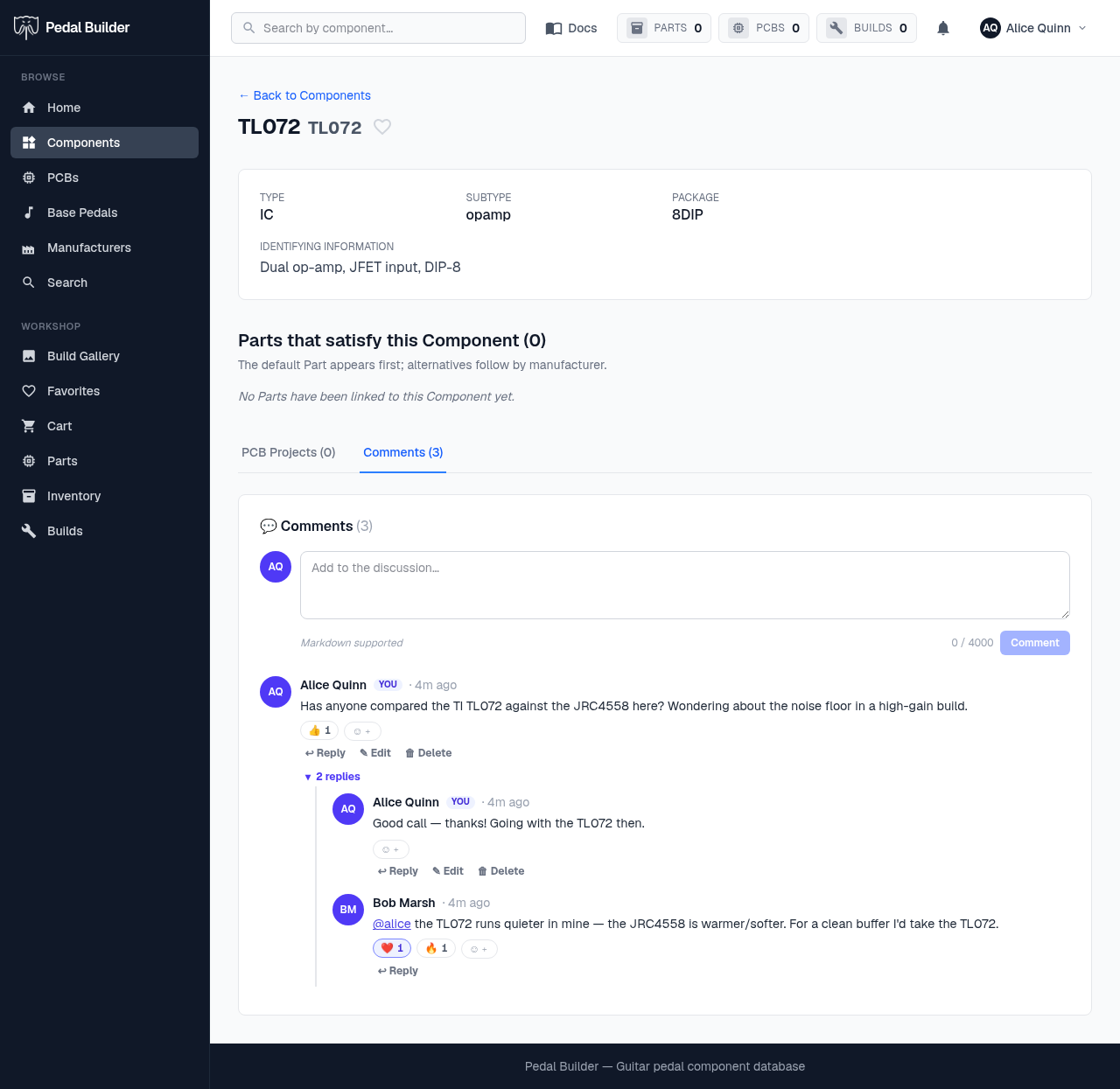
- 1The composer — Write your comment (Markdown is supported, up to 4000 characters) and press Comment to post. Type @username to mention someone — they’ll get a notification.
- 2React — Tap an emoji chip to react, or the “+” to add one. Counts tally per emoji (👍 ❤️ 🔥 🎉 😄 👀) so a quick “me too” doesn’t need a whole reply.
- 3Reply, edit, delete — Reply opens a threaded response under that comment. Edit and Delete show only on your own comments — edits keep a history and deletes leave a tombstone so threads don’t break.
- 4@mentions & replies — An @username renders as a link to that person’s profile and notifies them. Replies nest under their parent; “▾ 2 replies” collapses or expands a thread.
Reading & signing in
Logged out you can still read every comment, reaction, and reply — posting is what’s gated.
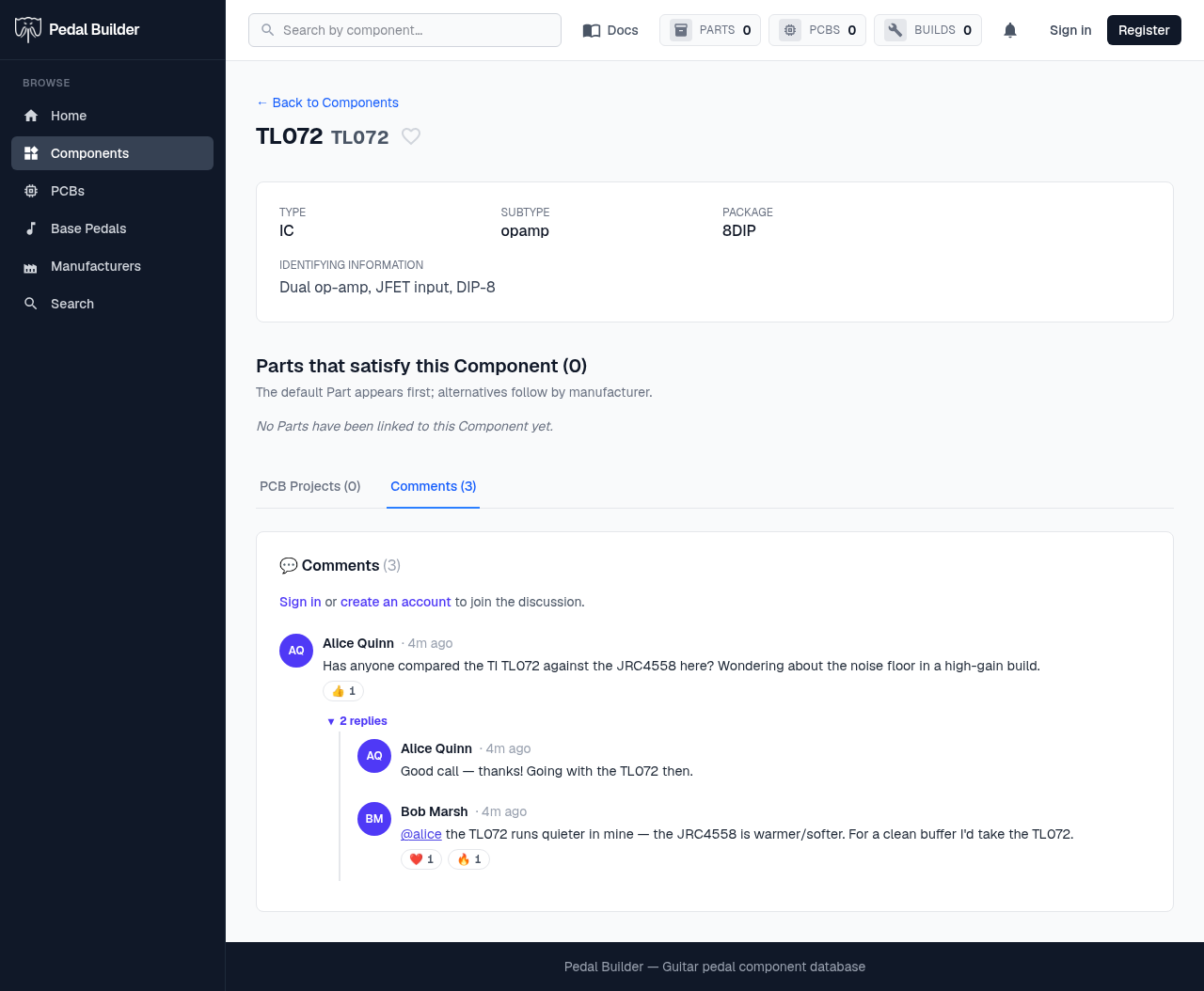
- 1Sign in to join — Reading is open to everyone; to post, reply, or react you sign in or create a free account from the prompt above the thread.
- 2Still fully readable — The whole conversation stays visible signed out — comments, reaction counts, threaded replies, and @mentions — only the composer and the per-comment action buttons are hidden.