Cart vs inventory
The cart-versus-inventory diff turns your cart’s combined BOM into a precise shopping list: for every component the cart needs, how many you already have, and exactly how many you’re short.
Need vs. have, per component
Red rows are what you still have to buy; green ✓ rows you already hold.
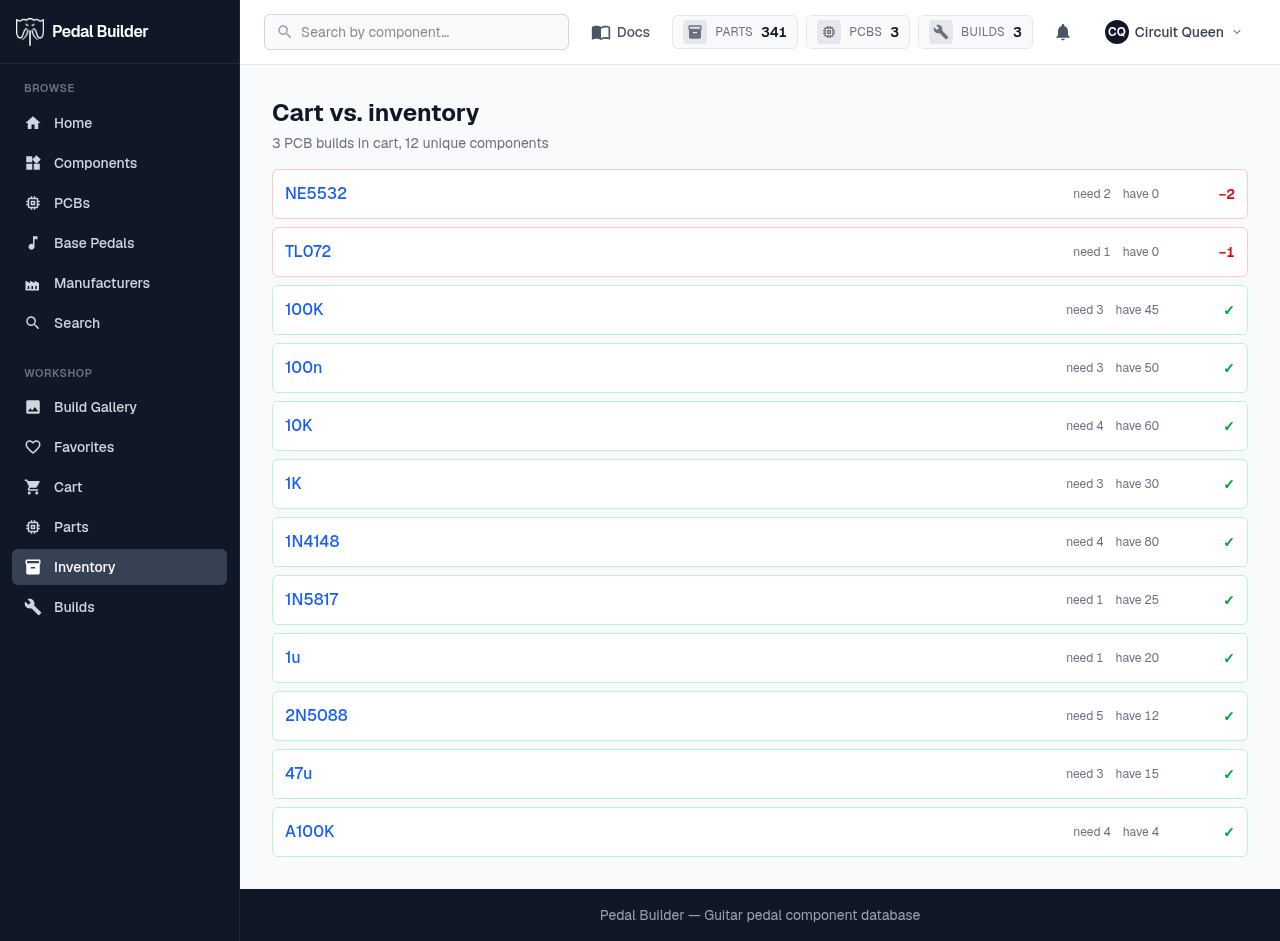
- 1Cart summary — How many PCB builds the cart represents and how many unique components their combined BOM needs.
- 2Component — Each unique component the cart needs, linking to its page.
- 3need vs have — How many the combined BOM calls for, and how many you hold in inventory.
- 4Shortfall or ✓ — A red “−N” (and red border) when you’re short by N, or a green ✓ when you already have enough.
Good to know
- Premium feature; derived from your cart and your inventory. Reached from the cart once you have parts on hand.