Component detail
A component’s page is the answer to “I have this chip — what can I build with it?” It shows the component’s spec, the buyable parts that satisfy it, and every PCB project that uses it.
The component & its parts
The top of the page identifies the component and lists the parts that fill its role.
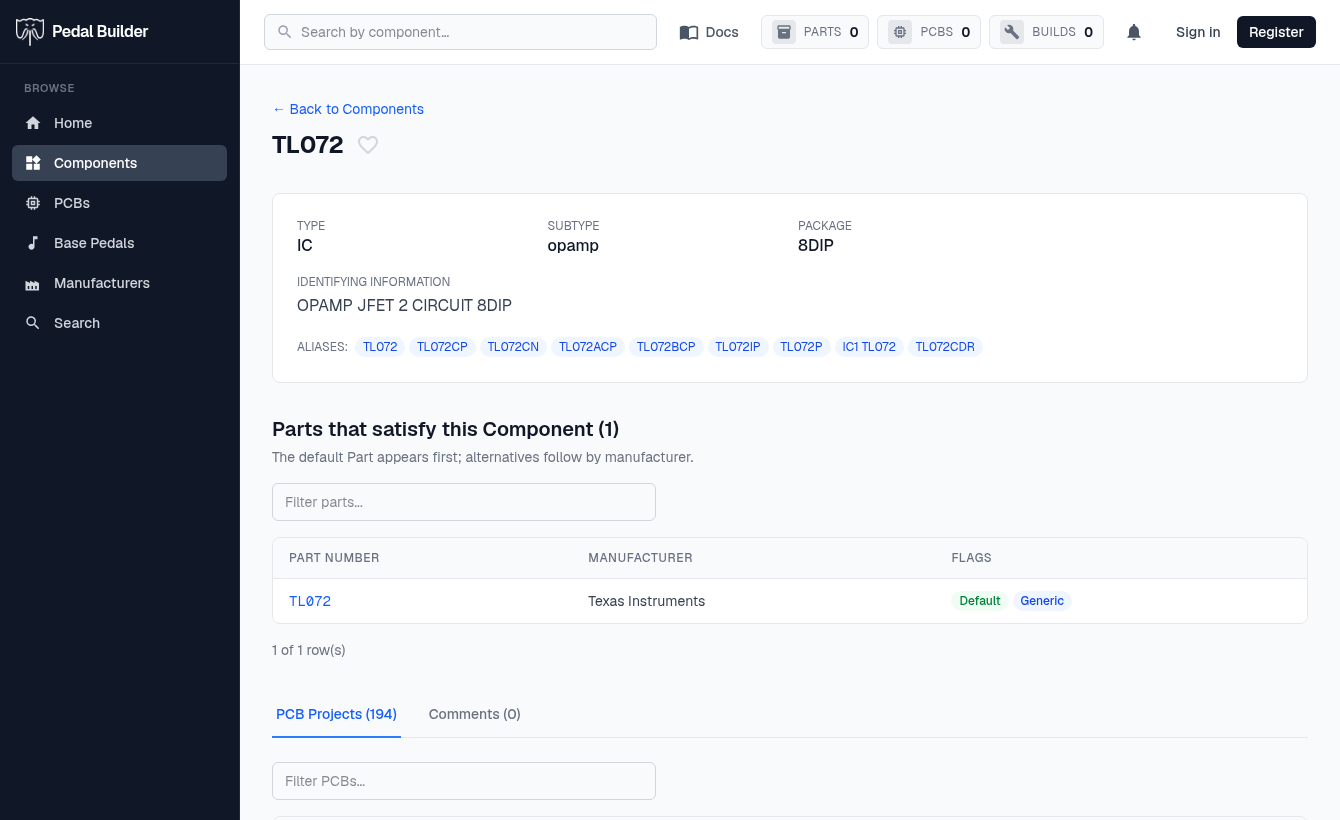
- 1Favorite — The heart bookmarks this component (needs an account).
- 2The spec — Type, Subtype, Package, Identifying Information, and Aliases — the other names/part-numbers this role is known by.
- 3Parts that satisfy this Component — The buyable parts for this role — the default appears first, alternatives follow by manufacturer. Columns: Part Number (links to the part), Manufacturer, and Flags (Default / Generic). Filter with the box.
- 4Tabs — Switch between “PCB Projects (N)” — every board that uses this component — and “Comments”.
Where it’s used — the reverse-lookup payoff
The PCB Projects tab lists every board this component appears on. The numbers map to its columns.
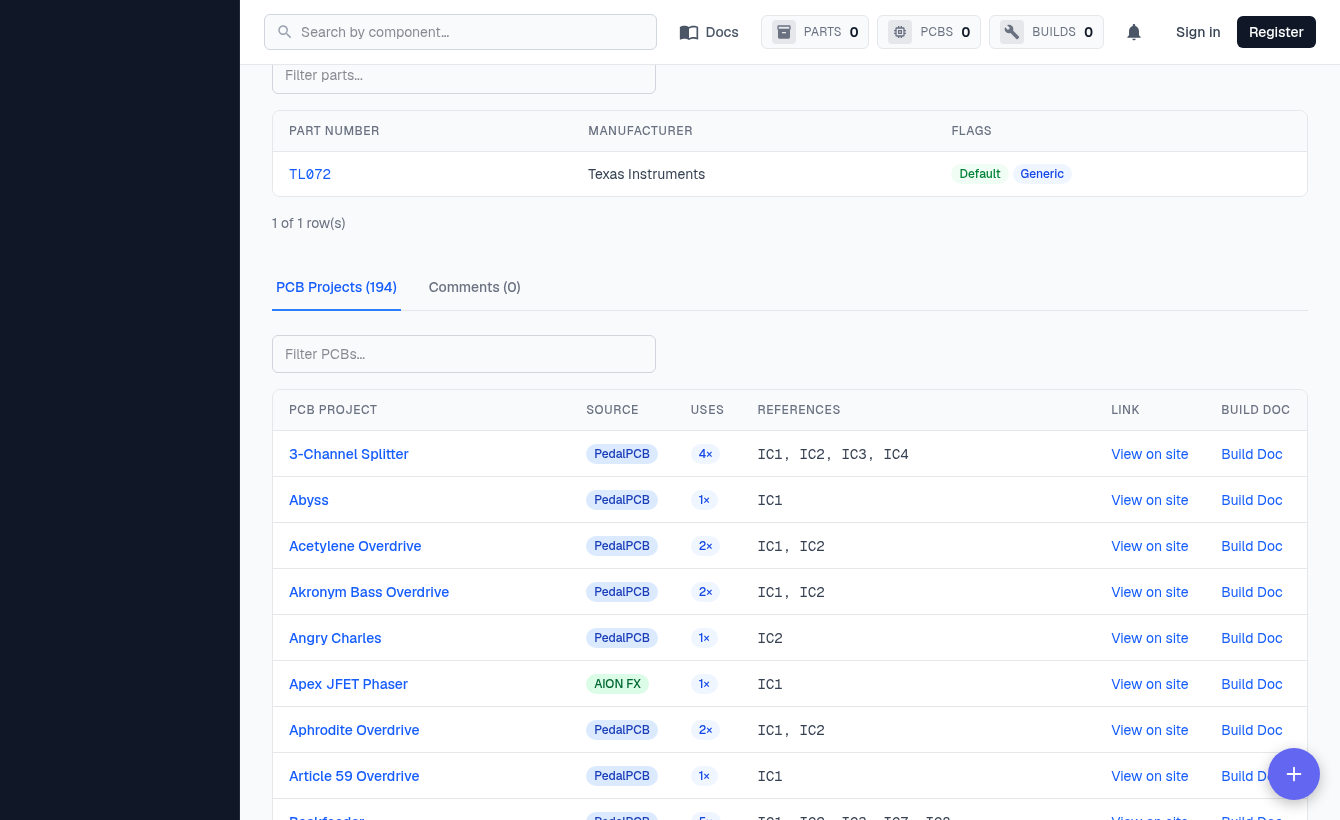
- 5PCB Project · Source — The board that uses this component (click to open it), and where it’s from (PedalPCB / AION FX). Filter the list with the “Filter PCBs…” box above.
- 6Uses — How many of this component the board needs (e.g. 4×).
- 7References — The exact slots on that board — IC1, IC2, … — where the component sits.
- 8Link — “View on site” opens the project’s page on the original source.
- 9Build Doc — Opens the board’s build document (PDF), when one is available.