Parts catalog
The Parts catalog is the manufactured-parts list — concrete, often manufacturer-specific SKUs (a “Generic” catch-all plus real branded parts). It doubles as the fastest way to load your inventory: filter, type quantities, and add them all in one click.
Browse parts, bulk-load inventory
One shared table; the rightmost column turns it into a stock-intake form.
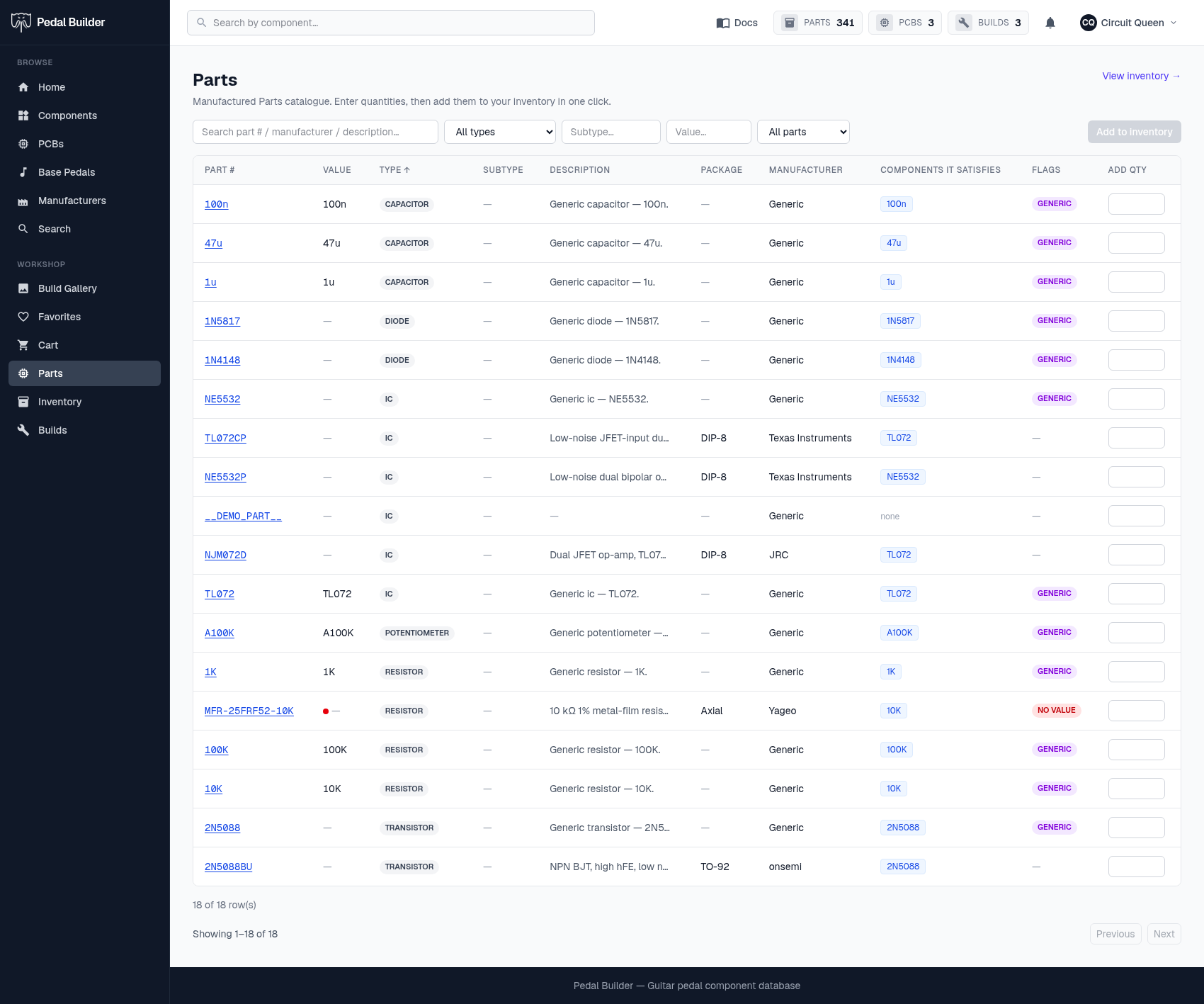
- 1Search & filter — Search by part # / manufacturer / description, and filter by type, subtype, value, and generic-vs-branded to narrow to exactly the parts you’re holding.
- 2Add to inventory — Once you’ve typed quantities, this loads them all into your parts inventory at once and reports “added N units across M parts”.
- 3Columns — Part #, Value, Type, Subtype, Description, Package, Manufacturer, the Components it satisfies, and a Flags column (a GENERIC pill marks the generic catch-all part).
- 4Add Qty — A per-row quantity box. Type how many of each part you received; the “Add to inventory” button tallies the rows you filled in.
- 5Open a part — The part # links to the part’s detail page (full spec + your on-hand count).
- 6Paging — The catalogue is paginated — “Showing 1–N of M”, with Previous / Next.
Good to know
- Parts is a Premium feature — without Premium you see a sign-in / upgrade nudge instead of the table.
Tips
- Filtering first (e.g. to one manufacturer) makes entering a whole box of parts much quicker.