Favorites
Favorites are your bookmarks across the whole database, kept on four tabs so PCBs, components, base pedals, and builds stay separate. Tap the heart on almost any page to add one; they sync to your account, so they follow you to every device you sign in on.
Four tabs of bookmarks
Each tab counts what you’ve saved of that kind.
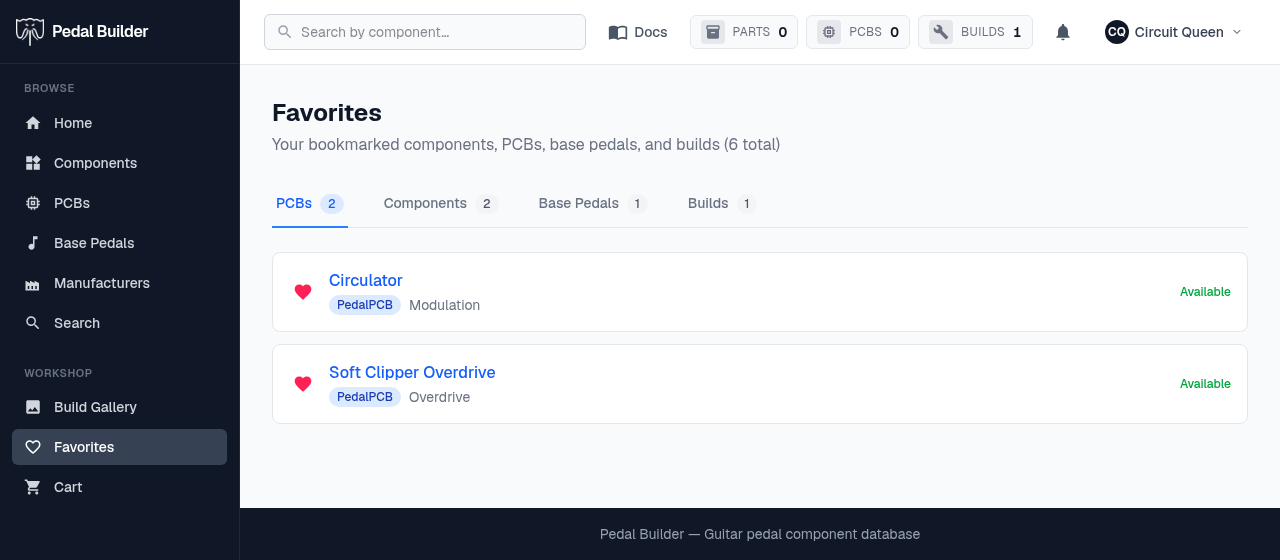
- 1Four tabs — PCBs, Components, Base Pedals, and Builds — each with a count of what you’ve saved. The header sums them all (“6 total” here).
- 2The heart — A filled heart means it’s favorited. Click it to remove the bookmark — the same heart you click anywhere on the site to add one.
- 3Open the item — The name links straight to that PCB / component / base-pedal / build’s page.
- 4Status — For PCBs, whether the project is still available on its source site.
Good to know
- Signing in is required — favorites are tied to your account and sync across every device you sign in on.