Starting a build
Starting a build creates a tracked entry from a board you already own. Each new build draws one unit from your on-hand PCB stock.
Pick a board to build
Only boards with stock on hand appear.
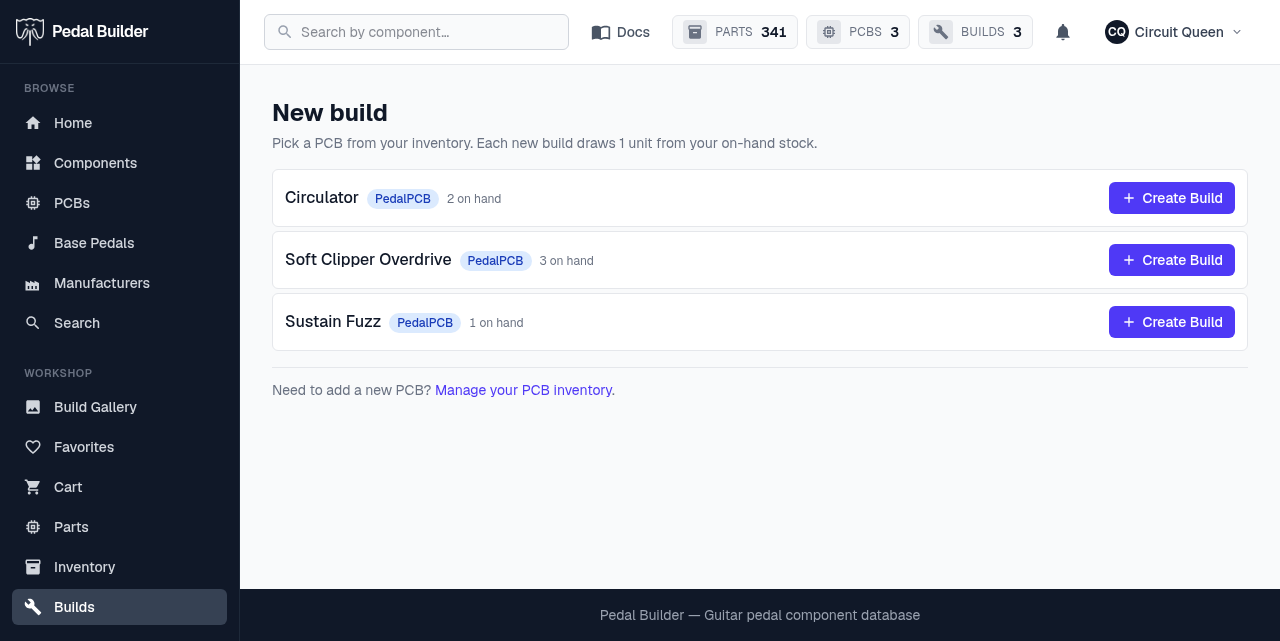
- 1Draws from stock — Each build you start subtracts one unit from that board’s on-hand count in PCB inventory.
- 2Your in-stock boards — Each board shows its source and how many you have on hand.
- 3Create Build — Creates the build and drops you into its editor. You can also hit “Create Build” from any PCB page.
- 4Out of boards? — “Manage your PCB inventory” jumps to PCB inventory to add or restock boards.
Good to know
- Premium feature.