Part detail
A part’s page shows its exact specification, its structured attributes, and an inline control to set how many you own. (Shown here: a branded TL072CP SKU.)
One part, end to end
Identity and on-hand at the top; spec and discussion below.
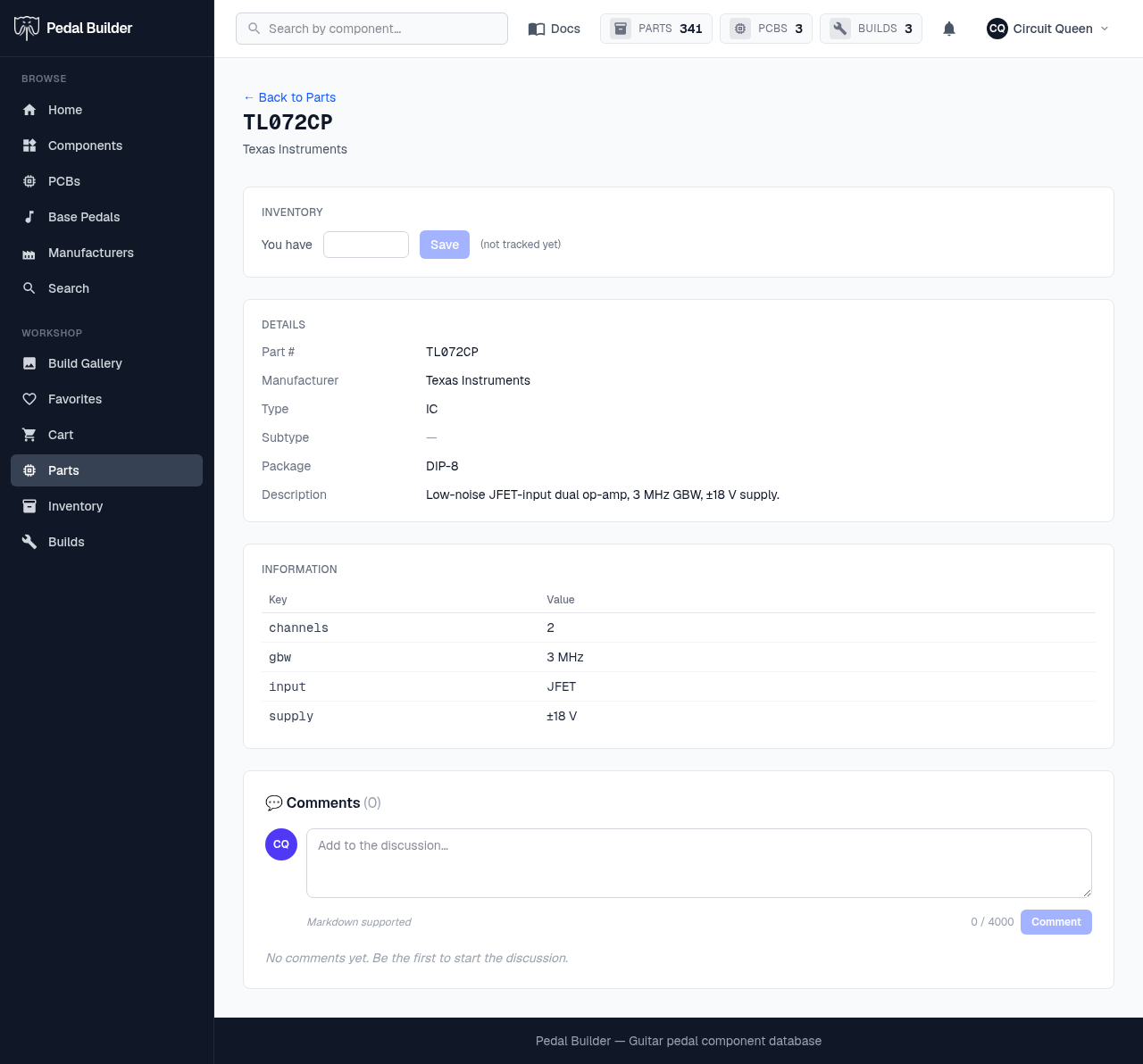
- 1Identity — The part number and its manufacturer; a GENERIC pill appears when it’s the generic catch-all part rather than a branded SKU.
- 2Your on-hand count — Type how many you own and Save — it writes straight to your inventory. “(not tracked yet)” shows until you set a count.
- 3Details — The core spec: part #, manufacturer, type, subtype, package, description, and a datasheet link when one is known.
- 4Information — Structured key/value attributes (e.g. channels, GBW, supply) — shown only when the part has them.
- 5Comments — Discuss the part — the same comment system used across the site.
Good to know
- Premium feature — the whole page is behind Premium (anonymous and non-premium visitors get a sign-in / upgrade prompt).