Public profile
Your public profile is what other builders see — your handle, bio, skill level, links, and the builds and favorites you’ve chosen to share. You control every part of it from Account settings → Privacy.
A builder’s public page
Identity up top, then stats and shared builds.
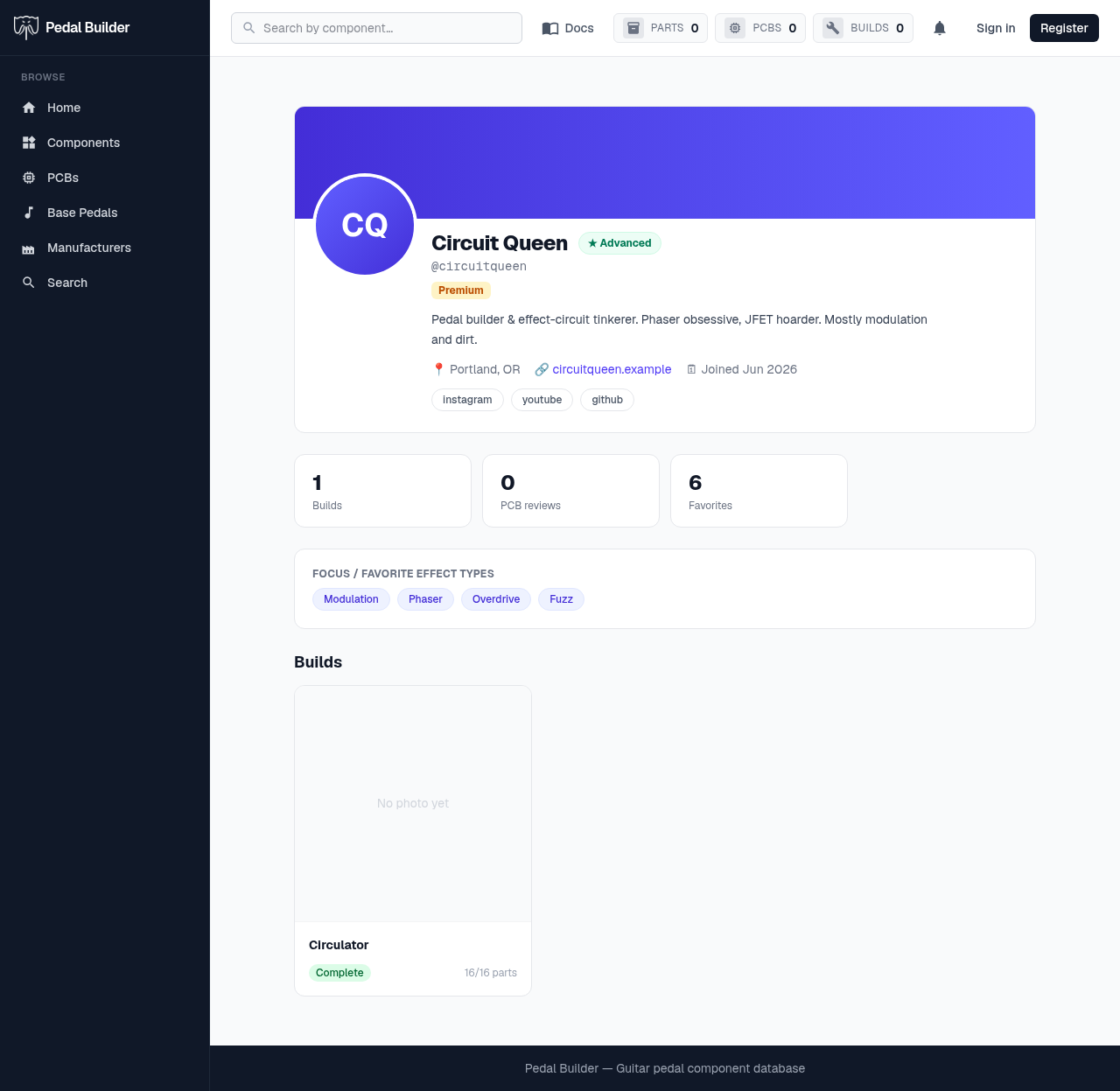
- 1Identity — Avatar, display name and @handle, skill-level badge, and role badges (Premium / Maintainer / Admin). A Centered or Banner header, your choice.
- 2Bio, links & socials — Your bio, optional location / website / email (each only if you’ve opted to show it), and social pills.
- 3Stats — Builds, PCB reviews, and favorites counts — each shown only if you’ve enabled it in Privacy.
- 4Effect types — The effect types you focus on, as pills.
- 5Public builds — A grid of the builds you’ve set to public — the same cards as the Build Gallery.
Good to know
- Visibility follows your Privacy setting: public (anyone), members-only (signed-in viewers), or private (owner only — others get “not found”).